



Maybe you have a sketch sitting in your notebook that you've always wanted to color. Maybe, like me, you have a quadrillion drawings your kid made and god forbid you'd throw them away. Or maybe you bought a beautiful coloring page from an artist online and instead of printing it out, you'd like to color it on your iPad.
Until now, coloring in Lake meant choosing from the thousands of drawings created by our artists. And while we're definitely not running out of those anytime soon, we wanted to give you a little more freedom over what you color.
So, we added a special feature called Import Drawing.
It lets you bring line-art images into Lake, turn them into coloring pages, and color them using the same tools you already know and love.

Here's how it works
Turning your own drawing into a digital coloring page in Lake is fairly simple and only takes a few steps.
On the Home tab, scroll just past the Recreate section (another fun feature we just implemented) and you will be immediately welcomed by a nice-looking Import Drawing banner. Tapping on it takes you to the next step - choosing the image you'd like to color. You can import an image from your photo library, a PDF, or a file saved on your device.
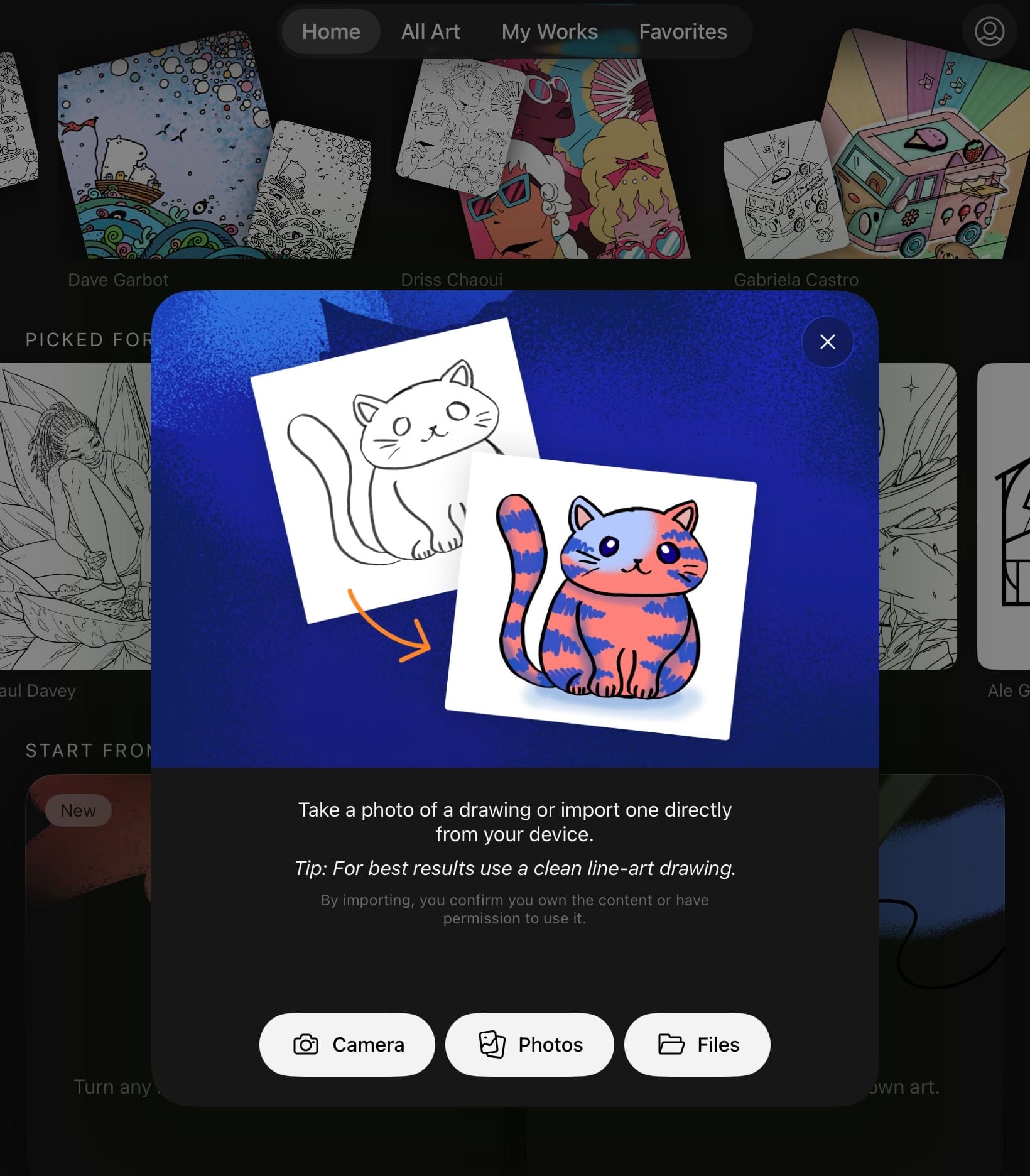
Once you've selected it, you can reposition and crop the image until everything looks just right.
Then, all that's left to do is color.
Your imported drawing becomes a coloring page inside Lake, so you can reach for your favorite brushes, experiment with different colors, zoom into the tiny details, undo the color choices that seemed like a good idea five seconds ago, and generally make the drawing your own.
No printer required.
What can you turn into a coloring page?
This is probably our favorite part: it doesn't have to be something you drew specifically for Lake.
You can import:
- Your own drawings and sketches. Draw something on paper, take a photo, and bring it into Lake to add color digitally.
- Digital line art you've created. If you already draw on your iPad or computer, you can import your finished line work and color it in Lake.
- Line art you've purchased from an artist. Bought a downloadable coloring page or line art that you'd love to color in? You can import that too, as long as your purchase or license gives you permission to use it this way.
- Coloring pages you have permission to use. If an artist, friend, or creator has shared a drawing with you and allowed you to color it, you can bring it along too.
Basically, any line art you have the right to use, you can give it a new life in Lake.
From paper to iPad
There's something we especially like about taking a drawing that started on paper and continuing it digitally.
For starters, you don't need to scan it, it requires minimal effort to import it to Lake - as long as the photo of the drawing is clear enough, you're good to go.
And speaking of clear - if you are drawing something specifically to turn into a coloring page, make sure that the lines are clearly visible, closed and a good contrast will generally give you the nicest result. Place your drawing somewhere with even lighting, avoid strong shadows across the page, and take the photo as straight-on as possible.
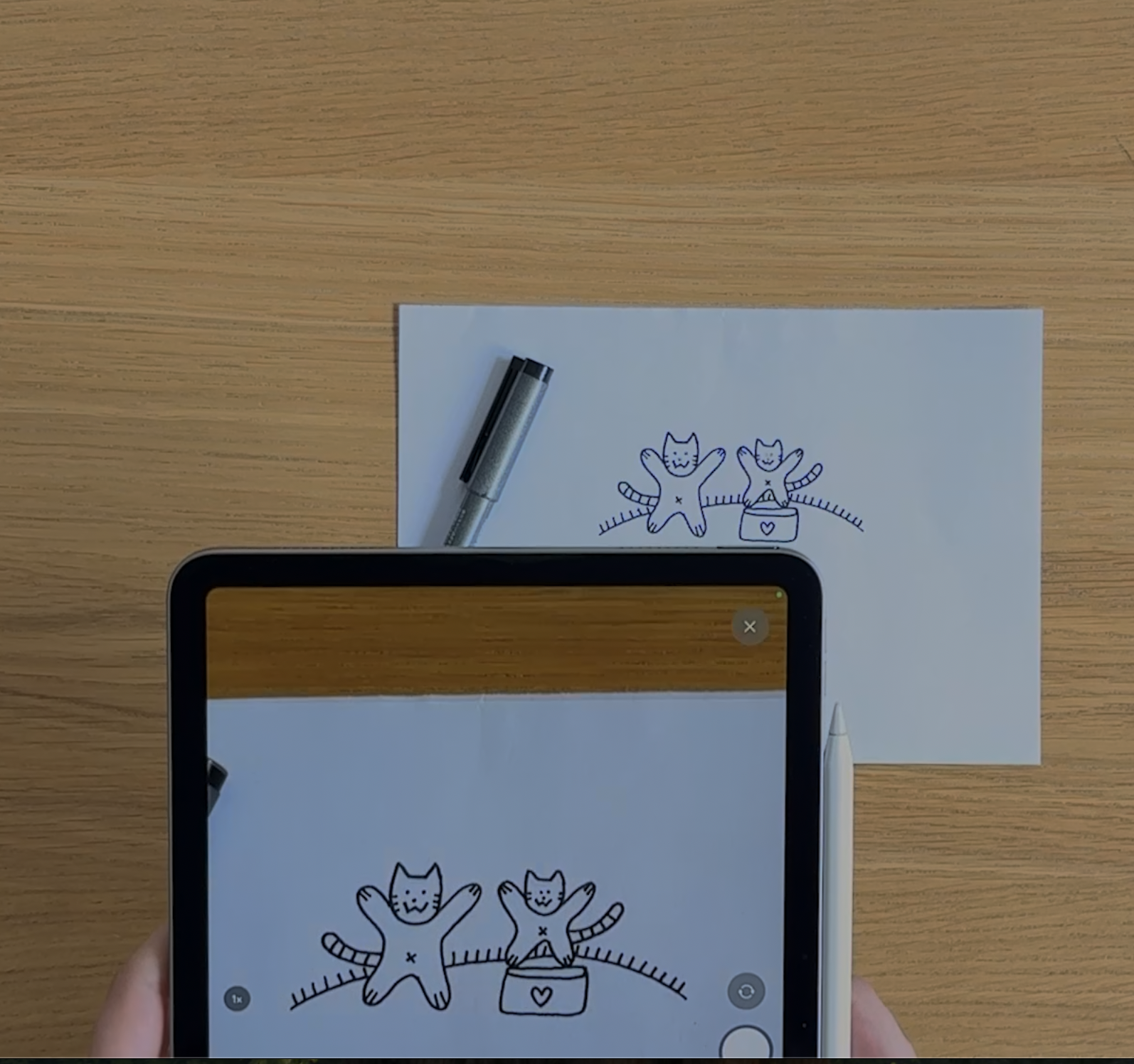
Then import it, crop out anything you don't need, and start coloring.
And because you're coloring digitally, you don't have to commit to the first idea that comes to mind. That purple sky isn't working? Undo. Wondering what the whole thing would look like in yellow? Try it. Want to start over completely? You can.
Why we built Import Drawing
One of the things we love most about Lake is discovering the worlds our artists create. More than 150 artists have brought their own styles, characters, ideas, and stories to the app, and that isn't changing.
But creativity doesn't always begin inside Lake. Sometimes it starts with a doodle you make during your lunch break. Sometimes it's a drawing your kid made. Sometimes it's a piece of line art from an illustrator you love. We wanted to give you an option to turn an offline drawing into a digital coloring page you can easily color with any or all tools in Lake.
Ready to turn your drawing into a coloring page?
Find an old sketch. Draw something new. Dig out that downloadable coloring page you've been meaning to color.
Then open Lake, import it, and see what happens when you add color.
Your next coloring page might already be sitting in your camera roll.