


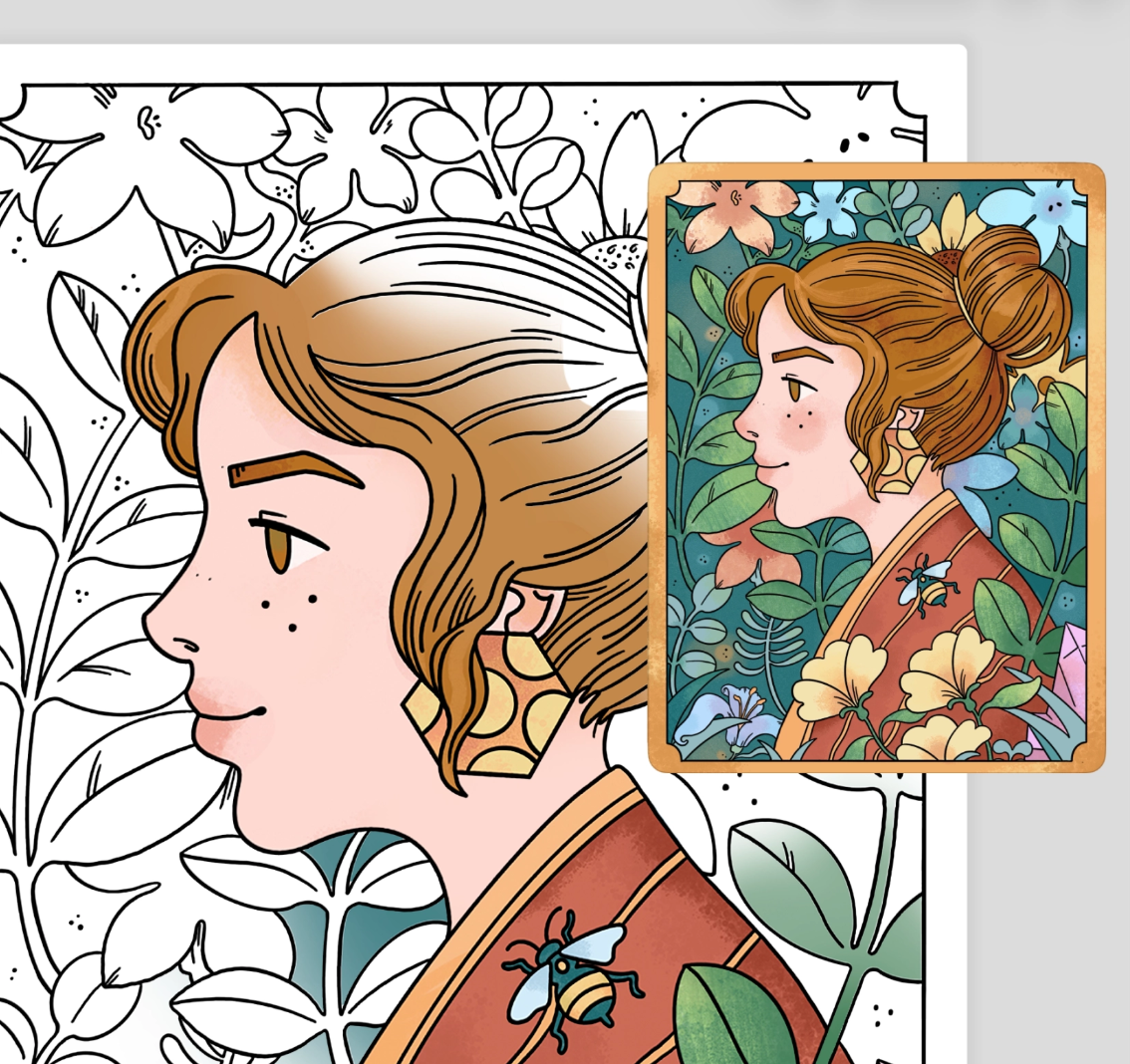
Sometimes I open a coloring app, find a page I really like, and then ... just stare at it.
Okay. Where do I even start?
Which colors should I use? Where should I add shadows? What if I pick colors that don't work together and ruin the whole thing?
That's actually one of the reasons we built Recreate, Lake's newest feature. For selected illustrations, you can now see the artist's own colored version right alongside the blank page you're about to color. You can see how they choose their colors, how they shade, which techniques they use, and what textures work for them. You can follow their version exactly, use it just for inspiration, or barely look at it.
We first tried Recreate ourselves during one of our group coloring sessions. And it felt good! But we also know we're not the ones who should be impressed. We built the thing, we got attached to it, we can't really be objective. So we did the only reasonable thing: sent an early version out to a group of beta testers and asked them to actually use it and tell us the truth.
And the response was truly amazing. People liked it a lot, and one of them put it better than we could:
"Sometimes our creativity needs a little push and this version of colouring with an available example is excellent to help."
Here's how it works
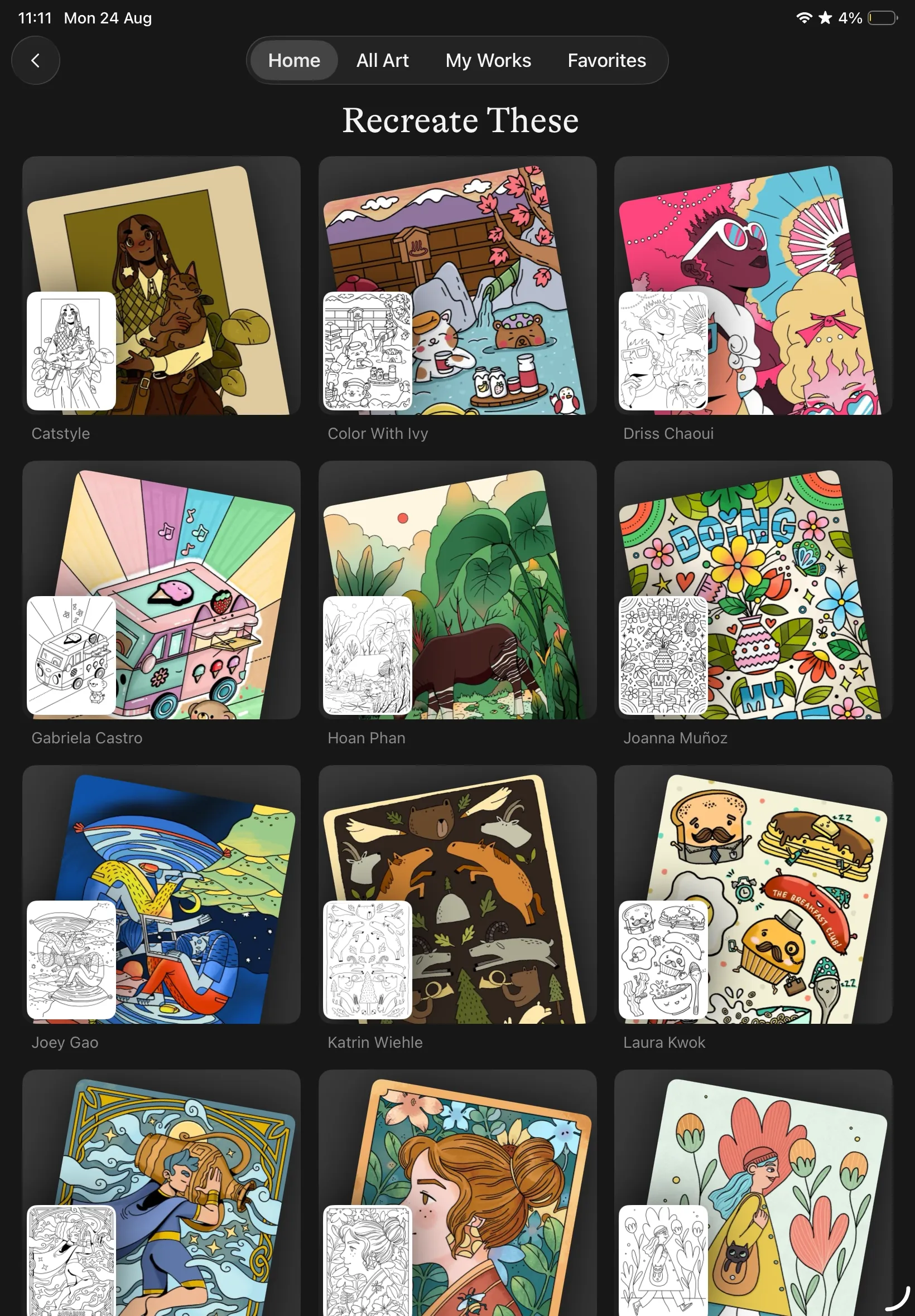
Head to the Home tab in the Lake Coloring app and you'll see the ribbon of drawings with the Recreate feature. When you open the drawing, the artist's finished version of that same page, colored in their own palette, will appear as a reference.
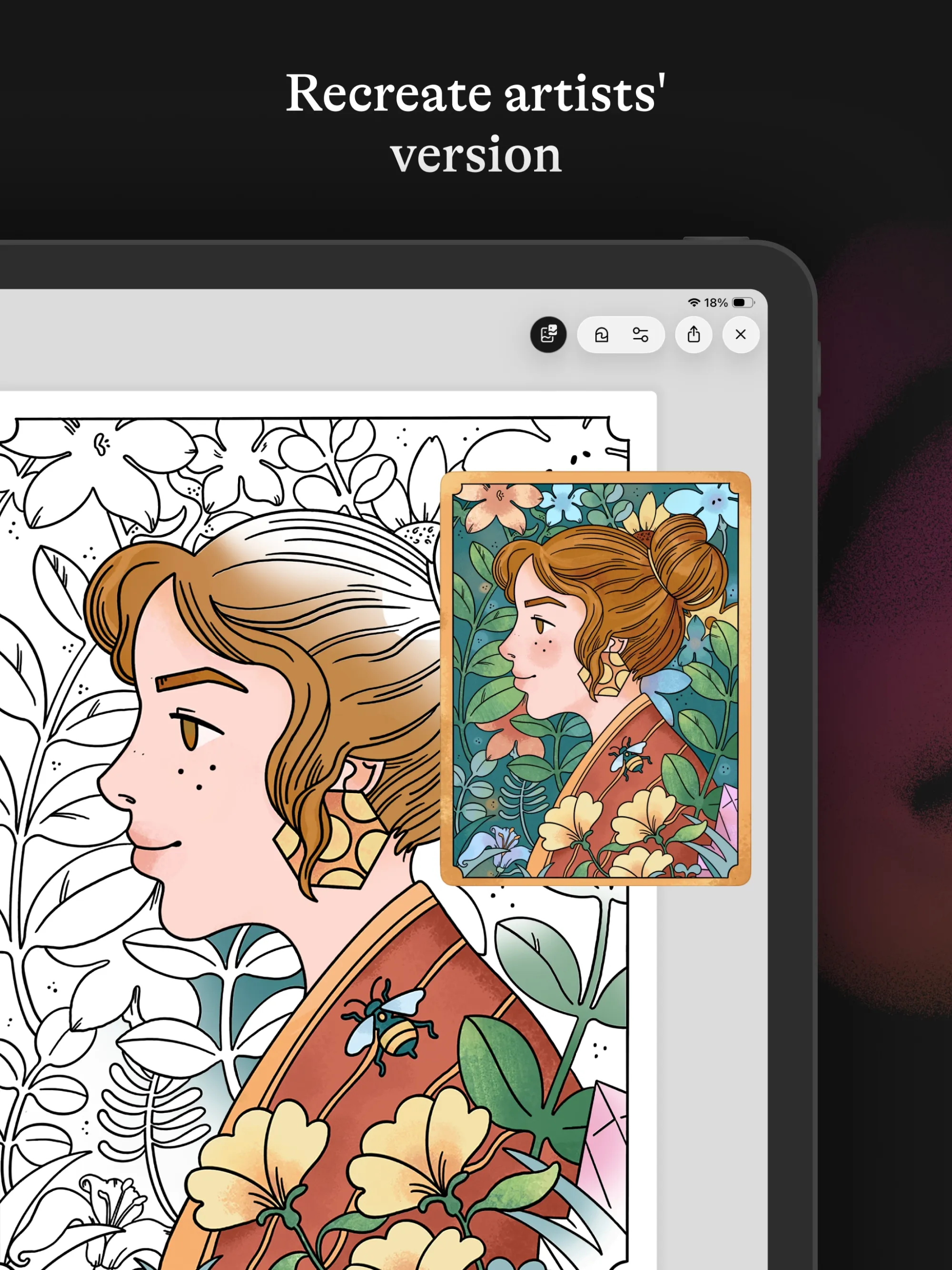
A few details that our users especially appreciated:
- You can easily turn it on and off: Want to look at the reference the whole time? Leave it there. Does it bother you, or do you just want to color your way? Turn it off.
- It moves with you: As one tester put it: "It is really nice that the original image zooms in at the same time as the one I am colouring." We tried to make things as easy as possible for you - whenever you zoom in on a drawing, the artist's version zooms in too.
- The eye-dropper works on the reference image too. If you want the exact shade the artist used, you can always use the eye-dropper to pick it directly from their version.
It's really up to you how you use it. For example, Vita, our partnership manager, likes to recreate the piece as close to perfect as she can, while I usually just borrow the shading principles and take them my own way (and skip orange entirely, because it's just not my color 🤷🏻♀️).
Why we built Recreate
Recreate is somewhere in between. Nobody's telling you which shade to put where. You have full freedom to follow the artist's version - or not. But it's not a blank page either, since the option to look is always right there. Testers found that just having it changed how they approached coloring:
"Having the reference gave me confidence to colour in, even if I didn't follow the colours/shades/media exactly."
Over the years, we've also noticed that a lot of people (myself included) struggle with what colors look good together. Our artist Sarah Holliday's tutorial about the Color theory can help tremendously with that, but even with that, getting started can still feel like a hurdle. I think that's where Recreate can help the most:
"I love it because one of my biggest challenges as someone who loves to color but hasn't got any artistic ability at all is that I have no idea what colors to choose. Recreate solves that problem entirely! I'm not worried about getting the colors exactly identical (although I love that a long-press takes the palette to the color the artist used). I love just being in the ballpark of the right color because I can wing it from there. Now I really can fully relax while coloring because I don't get stuck on what colors look best where. This really is probably one of the most valued features for me in this app."
Or, put more simply by another user:
"I think it took the pressure of what colour to use off."
You might actually learn something
When we started, we hoped Recreate would be useful to some, but we didn't expect that it would also teach people things. Several users told us they picked up shading and blending techniques just from having the artist's version there:
"I loved recreate, I didn't follow the colors of the picture I was recreating, but being able to zoom in on the original image and use some of the same shading and blending techniques is a game changer. You can kinda learn new techniques while actively doing it rather than going and watching a video and THEN trying to recreate it and going back and forth to figure it out."
Believe it or not, you can actually learn on the go, without even realizing it!
What's next for Recreate
We're starting with a bunch of drawings, and we'll keep adding new colored illustrations to the Recreate section. And the beta feedback also showed us things we hadn't expected. Some of that feedback is already changing what we want to do next.
If you tried Recreate as a beta tester and sent us your thoughts - thank you very very much 🙏 It's genuinely shaping what we build next.
Not sure Recreate is for you? I suggest you give it a try
If you're still not sure this is something you'll like, I get it. Coloring your own version is a big part of why people use Lake and "recreating" someone else's can feel like it goes against that.
So maybe Recreate isn't your thing. But maybe you can give it a go and end up loving it, just like one of our beta testers:
"When I started doing it I thought that the whole point of coloring is in creating your own version of the drawing and I was sure I wouldn't like the 'pointless' recreation, but the further in my process I moved the more I loved it and I think it's a whole new chapter for coloring experience! I really loved it!"
If I've convinced you to try it, download Lake here and give it a try!