


Sometime this spring, a message landed in our inbox. Listening to what our users need has always been core to how we build Lake, but this one set off one of the more meaningful collaborations we've had in a while.
A user asked if there was a way to move around the canvas using just one finger. We didn't just say no. We wanted to know more, because we sensed there was something behind the question. It turned out she has cerebral palsy, a condition that affects muscle control and coordination, and the multi-touch gestures most similar apps rely on - pinch to zoom, two fingers to pan - were a wall between her and something she loved doing: coloring.
A YouTuber ran into the same problem
Around the same time, we came across Ana, who posts on YouTube as RollingWithAna. In one of her videos, Trying New Hobbies Digital and Traditional Coloring, she tries coloring in Lake on her iPad and talks honestly about how hard it can be to find hobbies that work with her disability. Ana also has cerebral palsy.
Two people, unrelated to each other, hitting the same issue in the same app around the same time? That's not something you can ignore.
Building it with both of them
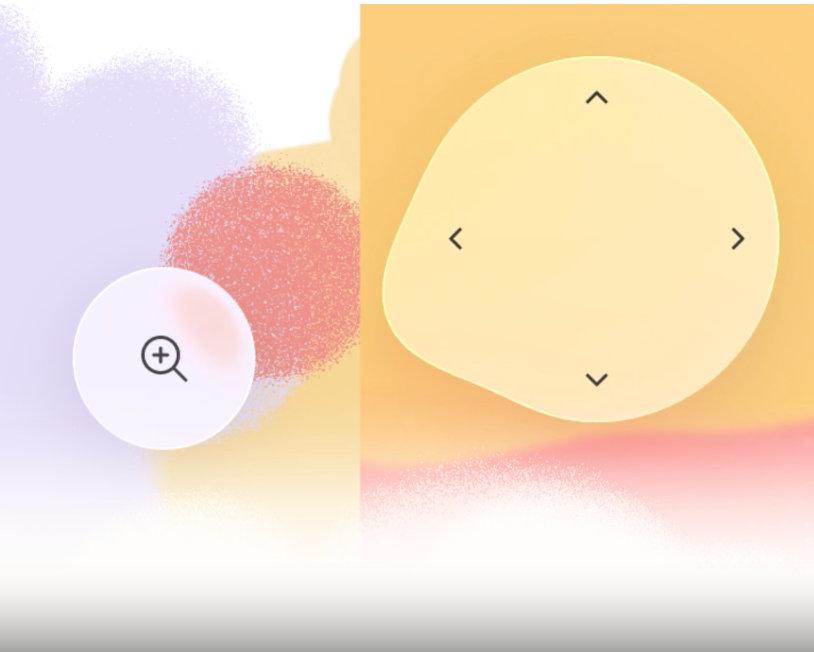
We reached out to both of them to gather some more insights and built a prototype: on-screen controls for panning and zooming the canvas, using a single finger instead of multi-touch gestures. Both tested it over the following months and sent us detailed feedback with video of themselves actually using it. It helped us tremendously: where the controls needed to be placed, how sensitive the touch response should be, what actually holds up when fine motor control isn't reliable. That kind of feedback is invaluable, and it's not something we could figure out on our own, no matter how carefully we tried to imagine the experience. Combined, their input shaped the feature we ended up shipping.
What One-Finger Pan & Zoom does
The One-Finger Pan & Zoom feature was released in July 2026, currently available on iPad. You can turn it on in the coloring settings, and you can pan and zoom any coloring page using on-screen controls with just one finger. No pinch gesture, no second hand required.
Part of Lake's ongoing accessibility work
This builds on color blind mode, a feature we introduced earlier for the same underlying reason: people see and move through the app differently, and Lake should work with that rather than assume one default way of using it. That feature also came out of user feedback - it was people telling us what wasn't working for them that pushed us to build it in the first place.
We were genuinely glad to see Apple roll out Accessibility Nutrition Labels on the App Store around the same time - a simple way for people to see which accessibility features an app actually supports before they even download it, things like larger text, sufficient contrast, and differentiating without color alone (the same idea behind our color blind mode). It's the kind of step forward we like seeing from a company that size, and it's a good nudge for the rest of us to keep asking the same question: who might be left out of the way we've built this, and what would it take to change that?
Where features like this come from
None of this happened because we sat down and guessed what people with limited fine motor control might need. It happened because one person asked a direct question, another person was already showing her workarounds on YouTube, and we paid enough attention to actually do something about it.
If you're using Lake and something about it doesn't quite work for you, tell us. You might be the reason our next feature exists 🤩